 VPSBox.app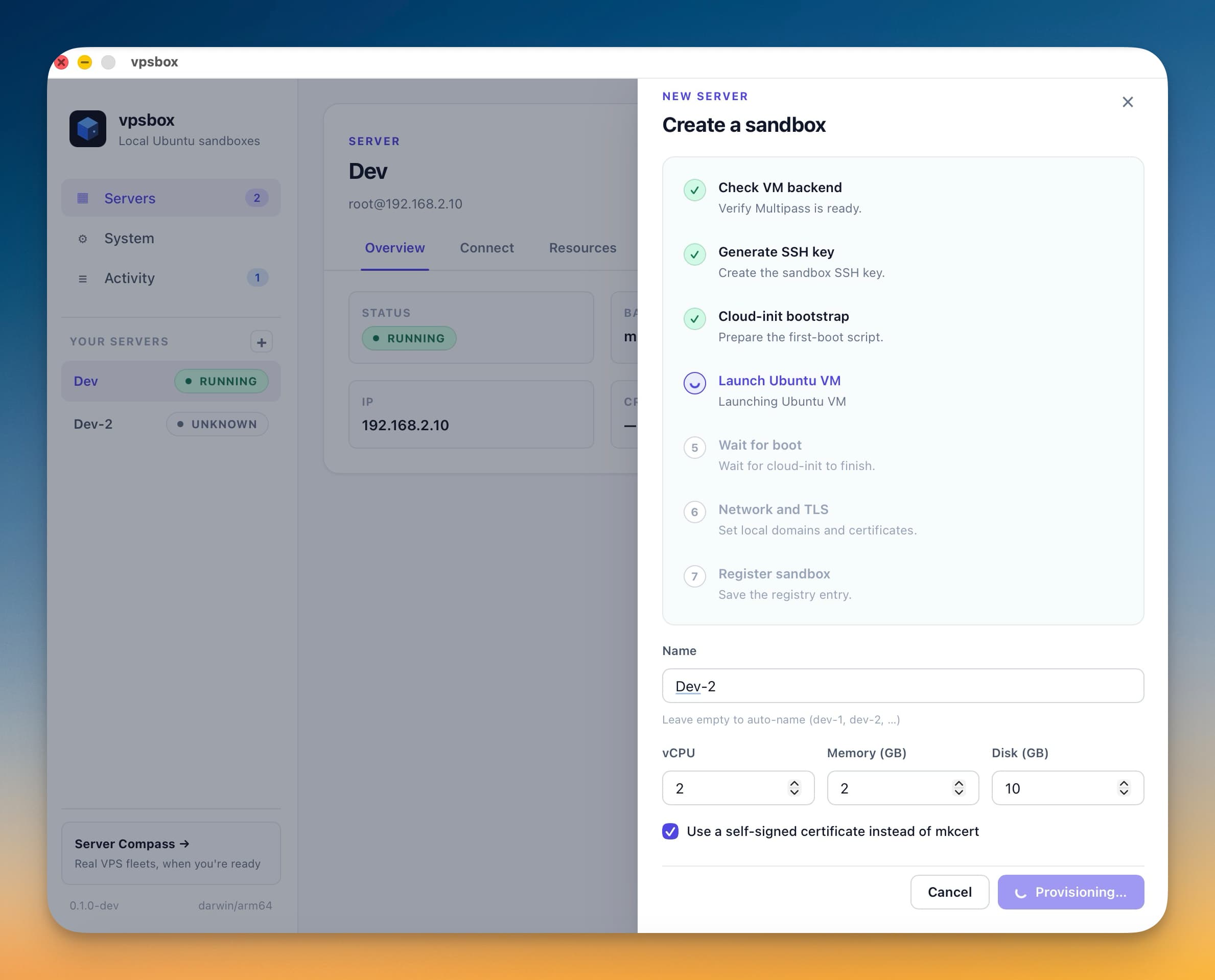
Skip the setup maze
One guided flow checks and installs everything your machine needs. No scattered docs, no missed steps.
Multipass, mkcert, cloudflared — handled.VPSBox gives you disposable Ubuntu servers on your own machine — with real SSH, hostnames, and server tooling. Learn, rehearse, and break things safely before touching production.
See it in action
Why VPSBox
One guided flow checks and installs everything your machine needs. No scattered docs, no missed steps.
Multipass, mkcert, cloudflared — handled.Each sandbox is a full Ubuntu VM with its own hostname, SSH keys, and resources. Break it, wipe it, start fresh in seconds.
Create, destroy, repeat — guilt-free.VPSBox handles the provisioning, then gets out of your way. SSH in, SCP files, use Docker — the same workflow you'd use on a real VPS.
Bootstrap in-app, work in terminal.How it works
The app checks for dependencies and installs what's missing from one screen.
Name it, pick resources, and launch. SSH keys, cloud-init, and hostname — all automatic.
Copy the SSH command, open your terminal, and work like you would on any remote server.
Destroy and recreate in one click. Every experiment is disposable, every mistake is cheap.
Inside the app
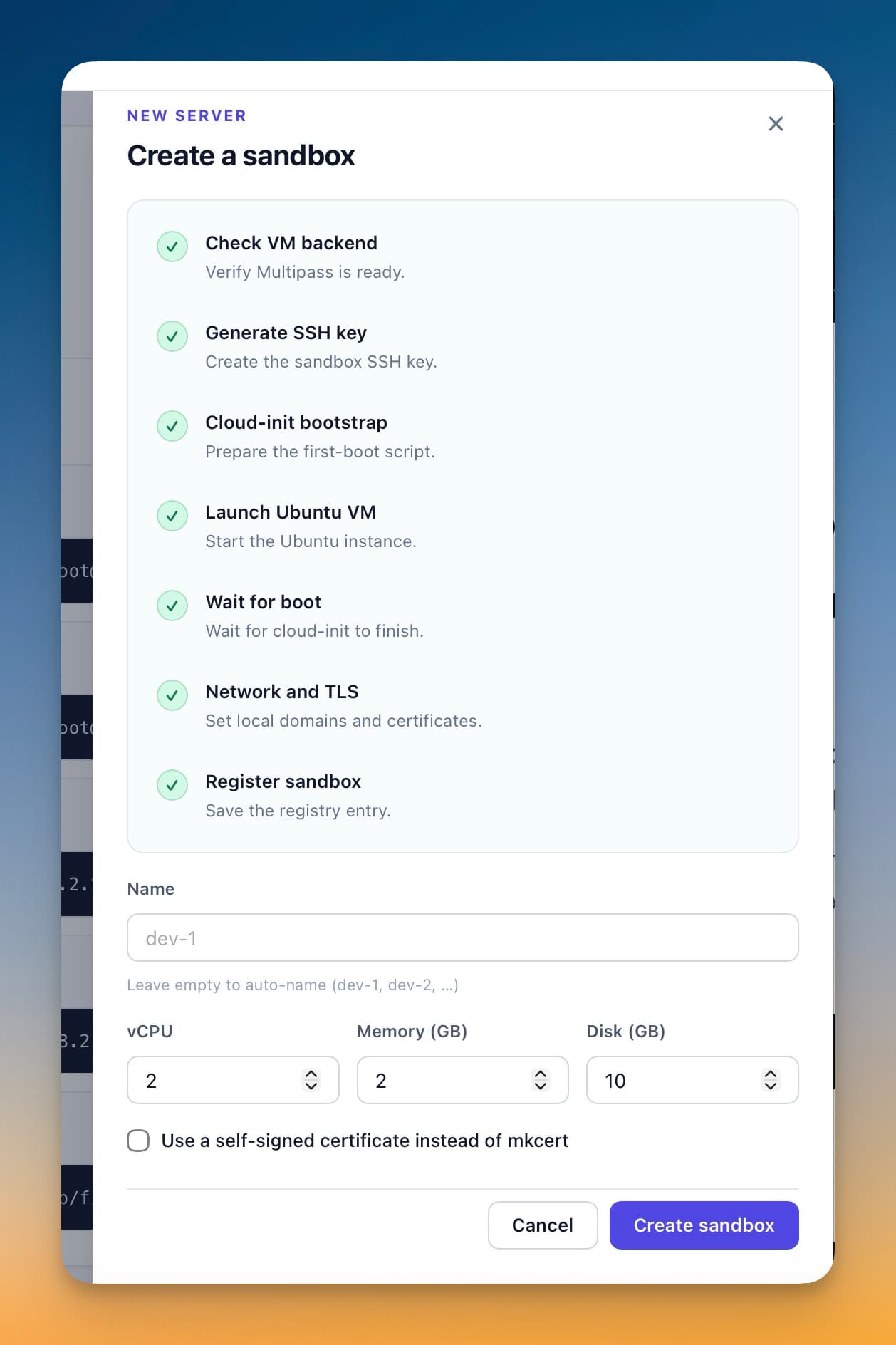
Provision a fresh Ubuntu box with a name, resources, and automatic setup stages.
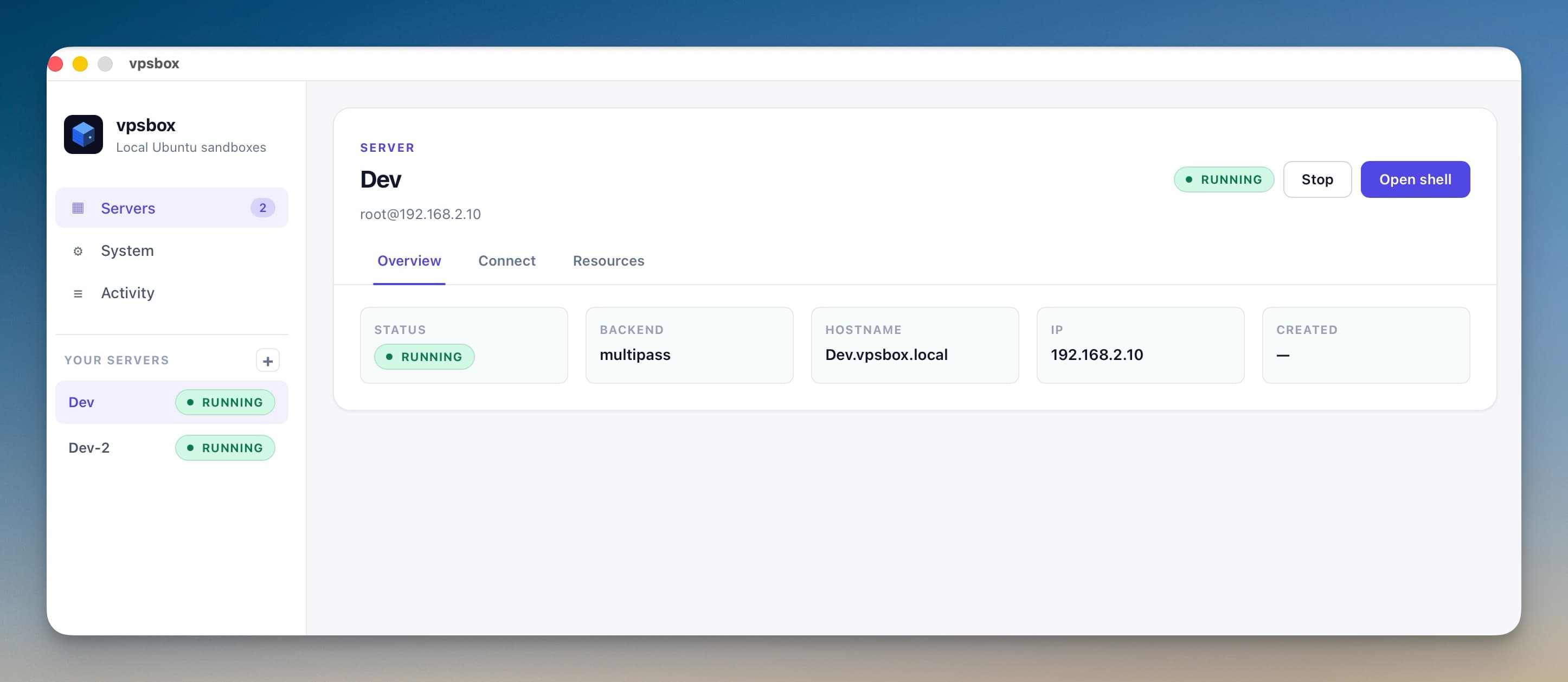
Review local servers, inspect their status, and move between sandboxes without losing context.
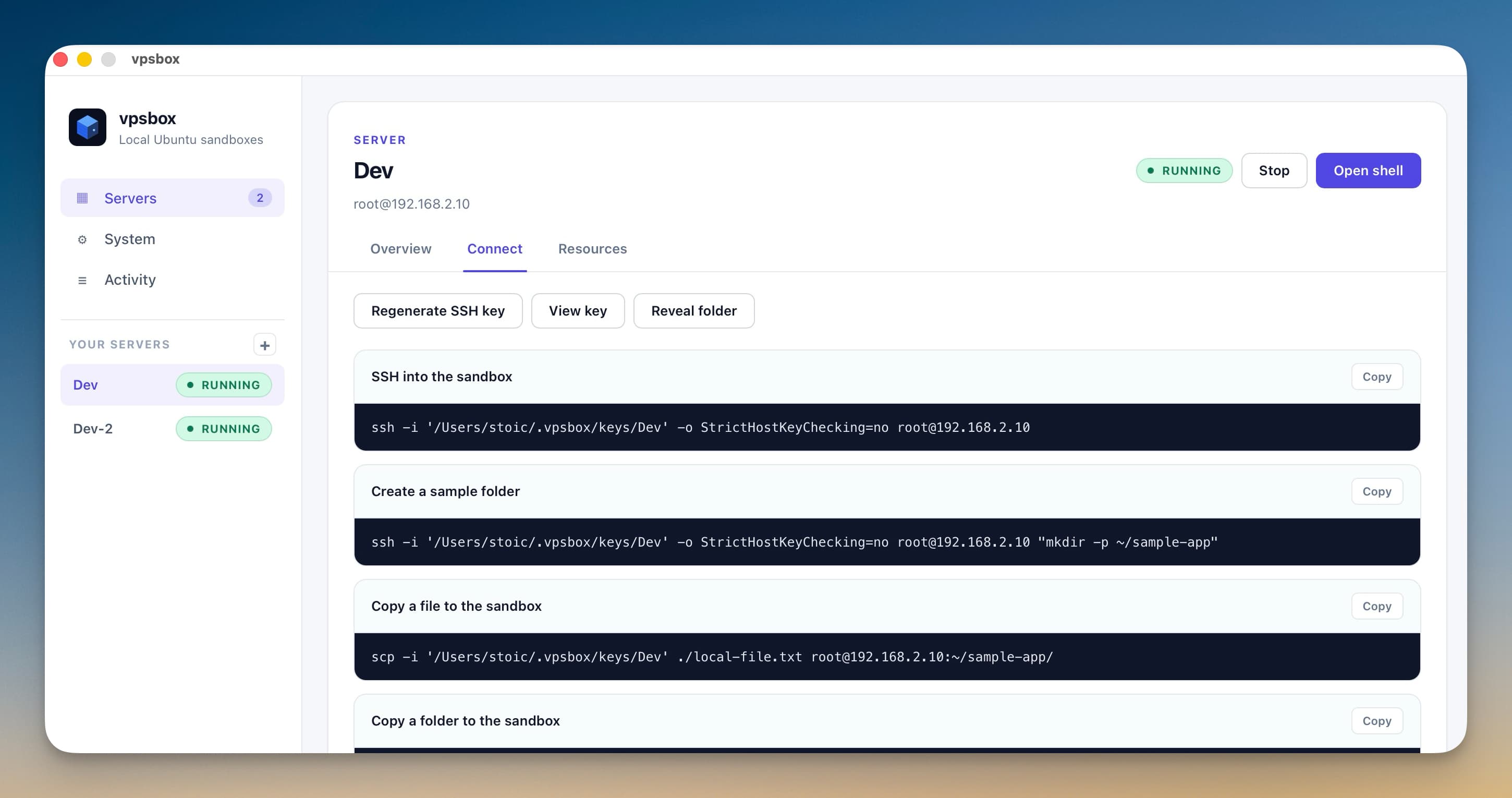
Jump from the desktop UI to SSH and SCP-ready commands as soon as the sandbox is available.
Solo devs, consultants, teams teaching server workflows — anyone who wants a safer place to learn, rehearse, and retry.
Back to top